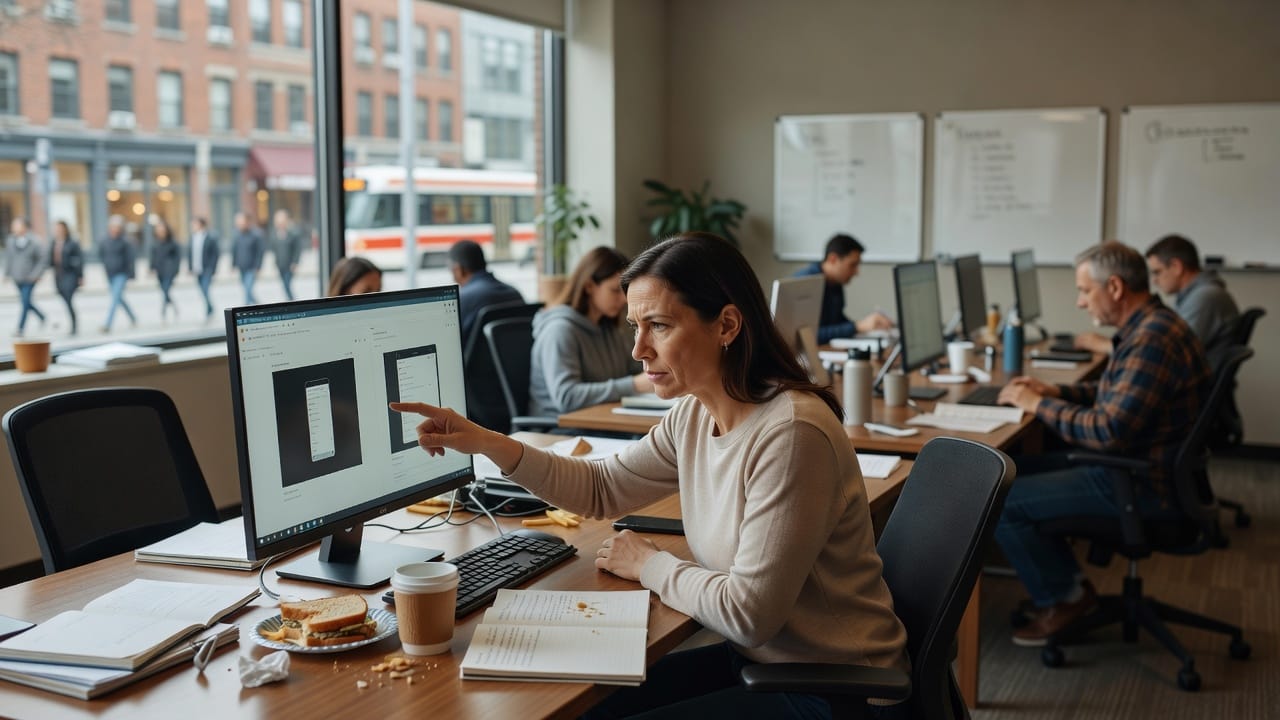

The unit tests were green. The pricing page still overlapped the buy button on a laptop screen, and a customer in Pune sent us the screenshot before anyone on the team opened Playwright.
That is the micro-conflict I now start with. We had asserted that a function returned the right plan name. We had not asserted that a human could see the button. Visual testing is how you stop arguing with a PNG at 11 p.m.
How we learned to distrust a green suite
The product was a Next.js AI workspace. A designer had tightened the pricing card. A generated layout from an earlier v0 pass still used a sticky footer. On a 1280-pixel laptop the primary button sat under that footer. Jest did not care. The customer did.
I was in Ahmedabad that week, on a rescue that, sitting with IndiaNIC engineers in a borrowed meeting room, I have learned to treat as a smell: lots of tests, no picture of the page. We could prove the plan object. We could not prove the page.
We installed Playwright the same afternoon. The first snapshot failed for an honest reason. The second failed because a clock in the header moved. The third failed because the AI answer pane streamed a different sentence. That is when we stopped treating screenshots as magic and started treating them as a process.
If you want the wider rescue notes around this kind of work, they sit on the IndiaNIC blog. This piece is only about the visual layer, because that is the layer our unit tests kept lying about.
Why do unit tests miss visual breakage in an AI app?
Unit tests miss visual breakage because they assert data and function calls, not pixels, overlap, or whether a stream pushed the buy button off screen. An AI UI moves. Tokens arrive. Side panels open. A test that never opens a browser cannot see a footer covering a charge. Playwright snapshots watch the page the customer actually gets.
This is not an argument against unit tests. I still want them on price math and on the session helper. I do not want them to be the only gate on a screen that takes money. According to the Playwright snapshot documentation, a screenshot assertion is just another expect. It is not a separate religion.
A process, not a pile of PNGs
I use a four-step loop on every AI prototype we harden. Name the screens. Mask the noise. Own the baselines. Review the diffs. If you skip a step, the suite becomes a folder of ignored red builds.
Name the screens first. I want four, then I will take more: login, the empty app, the priced upgrade, and one finished AI result. Those are the places a founder gets a WhatsApp in anger. Do not start by snapshotting every marketing flourish.
Mask the noise second. Time, avatars, unread badges, token counters, and streamed prose will churn. Playwright lets you hide locators or clip to a region. Clip when you can. A snapshot of the pricing card is more stable than a snapshot of the whole app chrome.
Own the baselines third. The PNG files live in git. A changed baseline is a reviewable artefact, the same way a SQL migration is. Data from the Playwright configuration docs is clear that snapshot names, scale, and browsers are your contract. Write them down. Do not let each laptop invent a new default.
Review the diffs fourth. CI should fail the pull request. A human should look at the image, not at the word “mismatch.” If the change is intended, update the baseline in the same PR. If it is not, you just caught the Pune footer.
A green unit test cannot see a footer sitting on the buy button.
How do you keep Playwright snapshots from becoming flaky noise?
You keep Playwright snapshots from becoming flaky noise by snapshotting regions, not whole worlds, and by masking every clock, avatar, and model completion. Pin the viewport, the browser, and the device scale. Freeze animations. Wait for the network to settle. A stable screenshot is a designed contract, not a lucky PNG from someone’s laptop.
I also refuse to snapshot during a stream. The AI result test waits for a “done” selector, then hides the prose, then photographs the chrome. We are testing whether the actions stayed visible, not whether the model wrote a pretty paragraph.
| One viewport, one browser, until the suite is trusted. Chromium at 1280 by 720 is enough to catch the Pune footer. Adding Firefox, WebKit, and three phones on day one is how teams mute the job. Expand after people believe the red build. |
Case study: the footer and the four screenshots
Here is what we actually did after that customer PNG. We did not rewrite the design system. We did not debate Storybook. We added four Playwright tests and a CI job.
The pricing test opened /pricing as a logged-out user, clipped to the plan grid, and asserted a screenshot. It failed immediately. The sticky footer covered the lower card. That was the whole incident, captured in a file we could attach to a pull request.
The login test caught a second problem we had not been sent. On a narrow height, the submit button sat under the cookie banner. No unit test knew the banner existed. According to the OWASP testing guide, a control the user cannot operate is not a control. The same is true of a button they cannot press.
The AI result test was the fussy one. We stubbed the model. We waited for [data-status="done"]. We hid the answer text. We photographed the action row. A later “small CSS tweak” tried to stack those actions off-screen on the first load. The snapshot refused the tweak. The engineer grumbled, then fixed the CSS. That is the process working.
We hooked the job to GitHub Actions using the pattern in the Playwright repository and the official Playwright CI guide. Failures upload the image. Humans look at the image. Nobody is asked to trust a stack trace about pixels.
The 2023 OWASP material will not tell you to take screenshots. It will tell you to test what the user can actually do. In 2026 I treat a visual baseline on the pay wall as part of that testing, not as a design luxury.
What you should do in the next 24 hours
Pick the one screen a customer would forward if it broke. For most AI SaaS products that is pricing, checkout, or the first completed answer. Add Playwright if it is missing. Write one test that opens that URL at 1280 by 720, waits for a stable selector, masks the moving bits, and asserts a screenshot.
await expect(page.locator('[data-test="plan-grid"]')).toHaveScreenshot('pricing.png');
Commit the baseline. Run it twice locally. Then run it on CI. If CI disagrees with your laptop, fix the viewport and the font rendering before you add a second test. A single trusted picture is worth a folder of ignored ones.
That is the concrete action. Not a strategy offsite. Not a new QA hire. One screenshot on the most expensive screen, before tomorrow’s stand-up. The Next.js docs will help you host the page. Playwright will tell you if a human can still use it.
After that, add login, then the empty app, then the AI result chrome. Keep the loop: name, mask, own, review. When a designer changes a card, the PR should show the old picture and the new one. That is how you retire the 11 p.m. customer PNG as your only visual test.
Frequently asked questions
Should I snapshot the whole page or a component?
Snapshot the smallest region that still proves the risk. A plan grid is better than the entire marketing page. A full-page shot is useful once, as a smoke check, and noisy forever after. Clip to the control that takes money or starts the model. Expand only when that picture is trusted.
Do visual tests replace accessibility or security tests?
Visual tests do not replace accessibility or security tests. They catch overlap, clipping, and broken layout. They will not prove a contrast ratio, a keyboard path, or a missing session check. Keep Playwright journeys for behaviour, snapshots for the picture, and a separate pass for OWASP controls.
What if the AI answer is different every time?
If the AI answer is different every time, do not photograph the prose. Stub the model or wait for a done state, hide the text, and snapshot the chrome around it. You are proving that actions, sources, and overflow still exist. Content variance is a product feature. Layout collapse is a bug.